
Teams working in legal, compliance, and financial investigations spend a huge amount of time reviewing documents, often moving through dense files to extract small but critical details that shape a case.
When each case involves hours of manual review, the question comes up quickly. Can AI handle document reviews for us?
The answer is yes, most AI tools can analyse documents like customer interviews, account statements, external reports and even legislation guides in order to map patterns, find specific references and cross-check details.
AI tools like ChatGPT, Perplexity and Microsoft Copilot are already being tested across industries, and on the surface seem capable of reading, summarising and searching documents at speed. The challenge is that in regulated environments, speed alone is not enough. Accuracy, traceability, data handling and defensibility all matter just as much.
This guide looks at how to use general AI tools for document review, and wherea more controlled, research-focused approach using specific AI tools built for industry, changes what is possible.
How accurate is AI when reviewing documents?
General AI tools produce confident document review summaries and responses at a very fast rate, but confidence does not always align with accuracy.
LLMs are designed to generate plausible responses, sometimes even shifting into sycophancy, and this runs the risk that not every statement generated can be traced back to and grounded in the original source material.
That creates a real risk for sensitive industries where compliance is essential when it comes to document review. If a model fills in gaps, misinterprets context or smooths over inconsistencies then it leads to the opportunity for errors appearing, and being missed, especially when the output generated feels incredibly confident.
Those who want to use AI for document review have two options.
One is to continue using generalist AI, such as ChatGPT, but ensuring that there is enough strong human oversight built into the workflow so that errors are not brushed past. This can work, but the time saved on initial review often gets pulled back into checking, validating and second-guessing the output.
Alternatively, users can switch to a more specialised AI platform, such as Beings. Beings is designed on the ground truth principle. This firstly creates an air-locked system where interpretation and answers can only be pulled from the selected source material, even if this is across multiple sources. Secondly, in Beingsvery output is given a source material citation, so that each answer can be traced back to the exact wording in the data it was provided. This is essential for maintaining the audit trail of sources.
Depending on how sensitive your documents and industries are, each option can help shift document reviews using AI into something that’s verifiable and saves time.
Can AI search across multiple documents simultaneously?
Yes, most AI tools can search across multiple uploaded documents, but with limitations when it comes to general AI tools.
Most consumer AI platforms (like ChatGPT) offer the ability to process more than one document at a time. However, this is with restraints. Document and source material upload is usually limited to paid plans, and may be limited by file size limits, context windows, or whatever session memory parameters are in place. This means that unless you are cultivating a single chat session, and pasting all documents in there, there is a risk that some things are left out. Equally, some mainstream LLMs like ChatGPT can remove some documents or information given and offer an almost recency bias. This could create answers that are grounded in only some of your uploaded documents, with no guarantee that answers are given across all.
This becomes an issue when the value sits across documents rather than in one. Connections, contradictions and repeated patterns become harder to spot when the model is not consistently holding, or referring to, the full dataset.
Again, a more specialist tool can take a different approach. When it is designed specifically for research or analysis, it will be more likely to treat all documents as a single project and not separate inputs. This makes it easier to query across everything at once, instead of manually stitching together insights from multiple prompts.
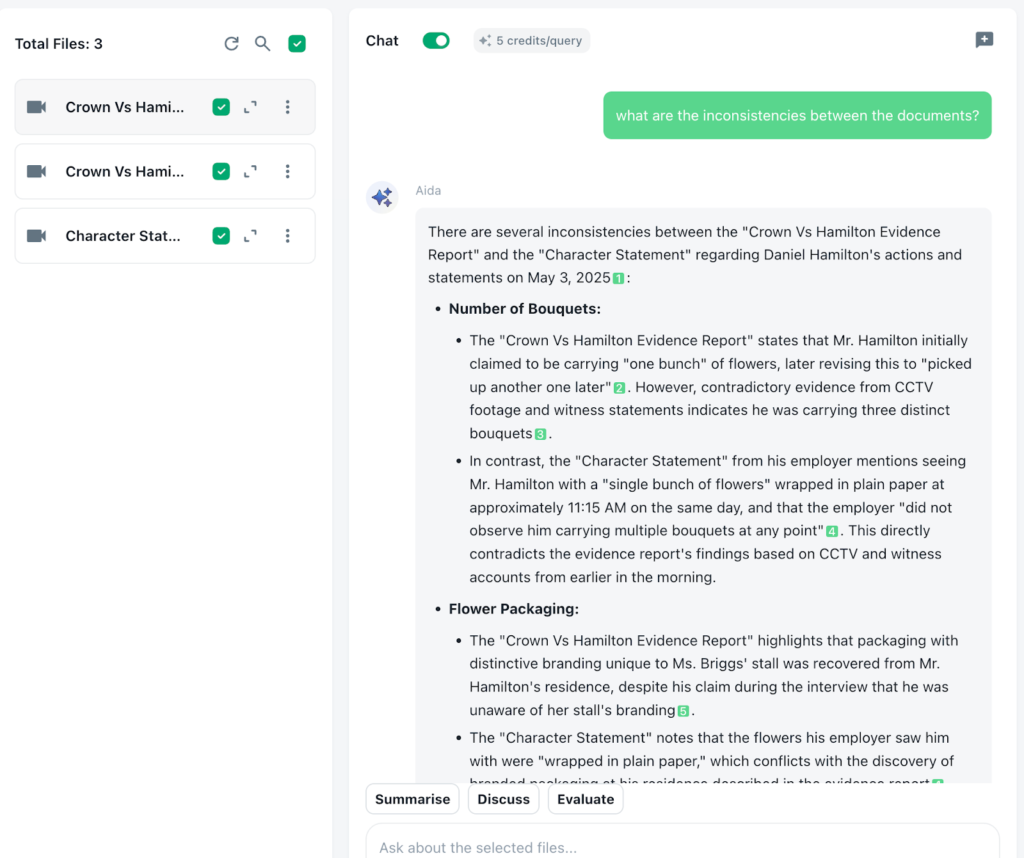
It also means that when you ask a question, you’re more likely to get an answer that reflects the full body of the material, rather than a partial view shaped by what the model happens to be referring to at that moment.
How secure is it to analyse documents using AI?
Security is a core issue when reviewing documentation using AI and it means you must consider carefully consider before inputting any sensitive or confidential information into the AI tool you are using.
General AI tools can feel private because the interaction is happening in a clean interface but behind it, the data is typically being transmitted to and processed on an external infrastructure. For many tools that infrastructure is global, which means that documents may be handled outside the UK and outside of the legal frameworks teams are expected to operate within.
Once data leaves a controlled environment, it becomes harder to track where it’s processed, handled and which legal jurisdictions apply at each step. For teams working in legal, compliance, investigations or handling identifiable data, that lack of visibility creates exposure that is easily overlooked when using it day-to-day. Even where model training is disabled, data can still pass through systems that sit outside the researcher’s direct oversight.
Using a specialist tool that has data governance at its core, users can be assured that the data remains within a controlled environment and is handled in line with the requirements of their industry.
For example in Beings data governance is built directly into how the platform operates, so control does not depend on user behaviour or external policy.
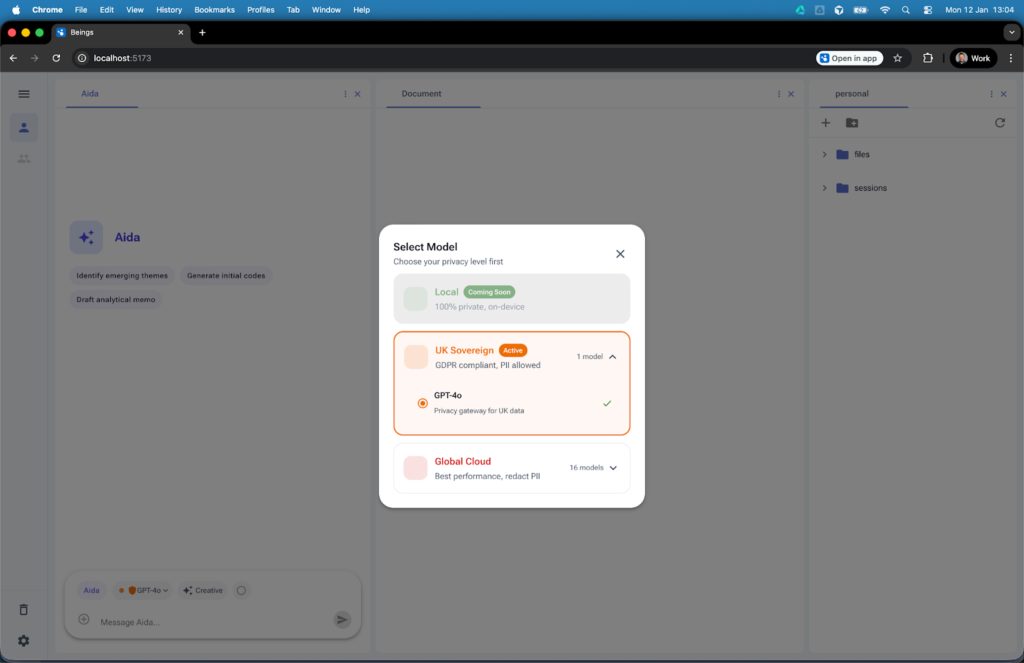
Before any analysis begins, users select how their data is handled through a clear traffic light system, with UK Sovereign as the default, meaning data is processed on UK-based infrastructure and remains under UK jurisdiction, while any shift toward global processing requires anonymisation and an explicit decision to proceed.
Data does not move in the background without visibility; the Airlock system flags when something would cross jurisdictional boundaries and requires a conscious action, which removes the risk of sensitive material being processed outside approved environments without anyone realising.
At the same time, Aida’s strict zero training approach means research data is only ever used within the project it belongs to and is not retained or reused elsewhere, keeping participant information contained and aligned with the expectations placed on teams working in regulated or client-sensitive environments.
Rather than relying on assumptions about where data is going, the platform is designed to make data handling explicit and transparent. This can include keeping data within a defined jurisdiction, limiting how it’s processed and making it visible to users so that there is no ambiguity around what is happening in the interface.
This allows teams to harness the speed and efficiency of AI for document review, while not losing sight of the responsibilities that they hold. They are also able to confidently state how data has been managed throughout to stakeholders, clients and any regulatory bodies.
Can you create an audit trail for document reviews in AI?
Yes, but it is limited when using more general AI tools.
Most consumer AI platforms will give you an answer but will not show clearly how that answer was formed or what parts of the source material were used. You may get a summary or a conclusion, but tracing that back to specific excerpts of source material is often difficult without manually checking everything.
This is a potential issue when it comes to document review. All findings need to be defensible, particularly in legal, compliance or any investigative work. If you are unable to show where a conclusion came from it becomes harder to stand behind it or share it with complete confidence.
Some teams can work around this by copying outputs into separate documents and adding in references manually, but this adds additional workload into the process, adding time and the potential for human error and misinterpretation.
Using a more specialist tool, designed to have auditability built into its workings, all outputs are linked back directly to the source material. It is clear to see exactly what excerpts support a finding and allow the ability to move between insight and the original documentation without guesswork or manual checking.
Having this allows a clear audit trail as you work, rather than something that needs to be reconstructed afterwards.
How do you verify AI isn’t missing critical information from reviewing documents?
This is possible, but requires effort, when using a general AI tool.
Most models are designed to return a single, coherent answer. That means you see what has been included, but not what has been ignored. There is no signal for gaps, edge cases or contradictory evidence that did not make it into the response.
In document review, important details are often small, spread across files, or only visible when you compare sources. A clean summary can hide that complexity rather than reflect it.
To work around this, teams often have to stress test the output. That might mean asking the same question in different ways, looking for inconsistencies between responses, or manually going back into the documents to check specific points.
A more research-focused setup shifts the task from trusting a single answer to actively interrogating the data. When you can move between outputs and source material, and ask targeted questions about gaps, contradictions or missing perspectives, you are no longer relying on the model to be complete.
Can regulated investigations use AI?
Yes, but only if the AI meets specific regulatory expectations around data protection and transparency.
In the UK, bodies like the Information Commissioner’s Office (ICO) have made it clear that organisations remain fully responsible for how personal data is handled, regardless of whether AI is involved. Their guidance on AI and data protection sets out expectations for those using AI in this context.
For teams working in regulated environments, such as legal, that creates a clear standard. It is not enough for AI to be fast or helpful, but you need to be able to show how data was processed, where it was handled and how those conclusions were reached.
With many of the consumer level AI tools like ChatGPT, limited data visibility into data processing, unclear jurisdiction and a lack of traceability make it difficult to demonstrate compliance if challenged.
Using AI in a regulated investigation is possible but it needs to be in a controlled and well-understood environment, with an auditable trail. When those conditions are met, AI can support document reviews and other investigations without compromising regulatory and legal standards.
How to use Beings AI to handle document reviews
Beings is a qualitative AI platform built to help teams work through large volumes of documented material without losing sight of the original source. Rather than treating AI as a generic chat tool, it gives teams a controlled project space where documents, transcripts and analysis stay connected. Here is how to use Beings to handle document reviews securely across multiple files at the same time:
1. Upload one document, or many, into a single project
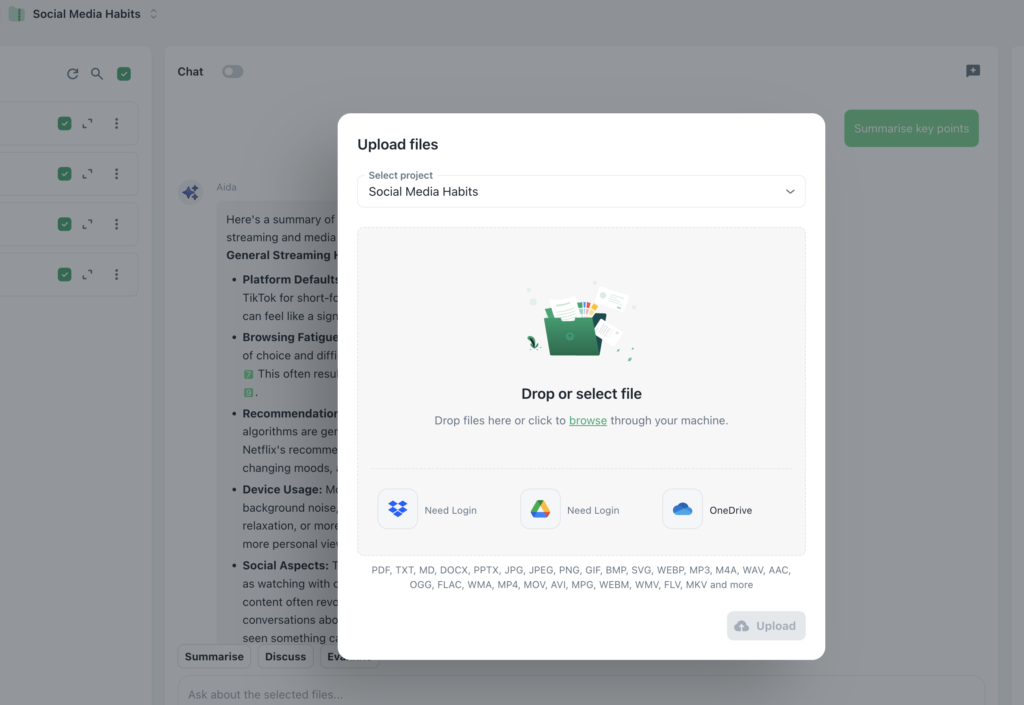
Start by creating a project and adding the material you want to review. This might include PDFs, transcripts, interview notes, reports, policies, case files or other supporting documents.
Beings is designed for multi-file analysis, so you aren’t limited to working one file at a time. If your review involves a large set of documents, they can all sit in the same project rather than being split across different chats or sessions.
If your source material includes audio or video, transcription can also be brought into the workflow so spoken content becomes searchable alongside written documents.
2. Review all files as one body of material
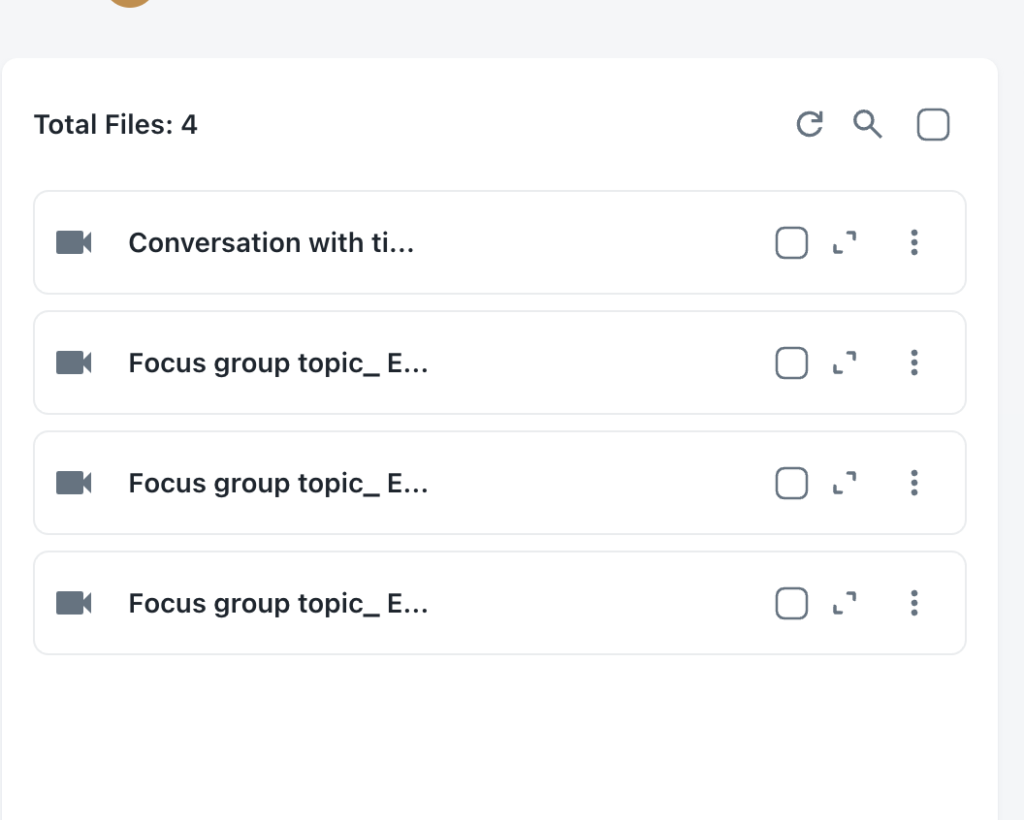
Once your documents are inside the project, Beings treats them as part of the same review environment.
This matters because document review often depends on what happens across files rather than inside one file alone. You may be trying to find repeated language, compare different accounts, spot contradictions, trace a timeline or see where the same issue appears in multiple places.
Instead of opening documents one by one and trying to hold everything in your head, you can work across the whole set at once by selecting it as part of the source material for your project.
3. Use Aida AI to search, summarise and analyse documents
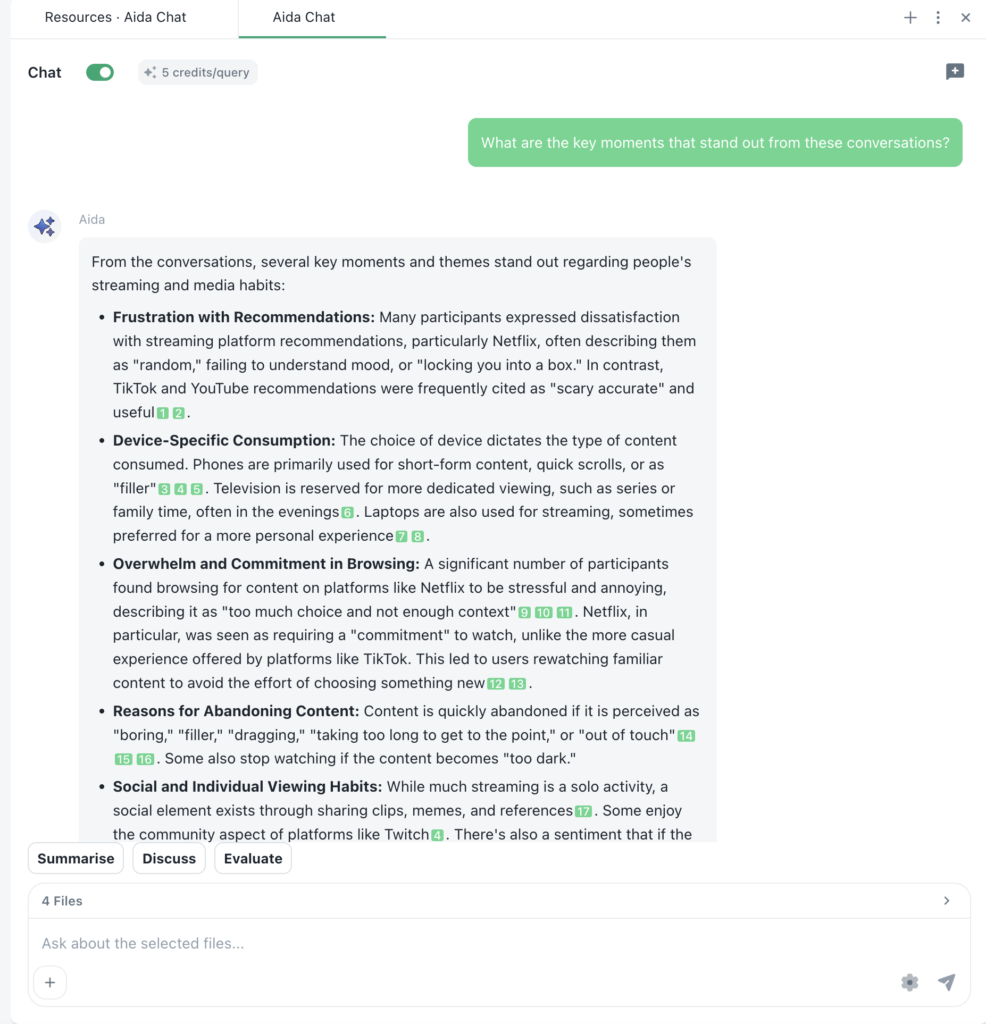
Aida is the conversational AI inside Beings. You can use it to ask direct questions about your documents in plain language.
For example, you might ask Aida to:
- find mentions of a particular name, phrase or keyword
- summarise what the documents say about a certain issue
- compare how a topic appears across different files
- pull out references to dates, locations or entities
- locate the exact passage where a point is mentioned
This makes the document review process feel much more natural. Rather than relying on manual search alone, you can explore the material through questions and follow-up prompts, then narrow in on the exact wording you need.
4. Check the source citations behind each output
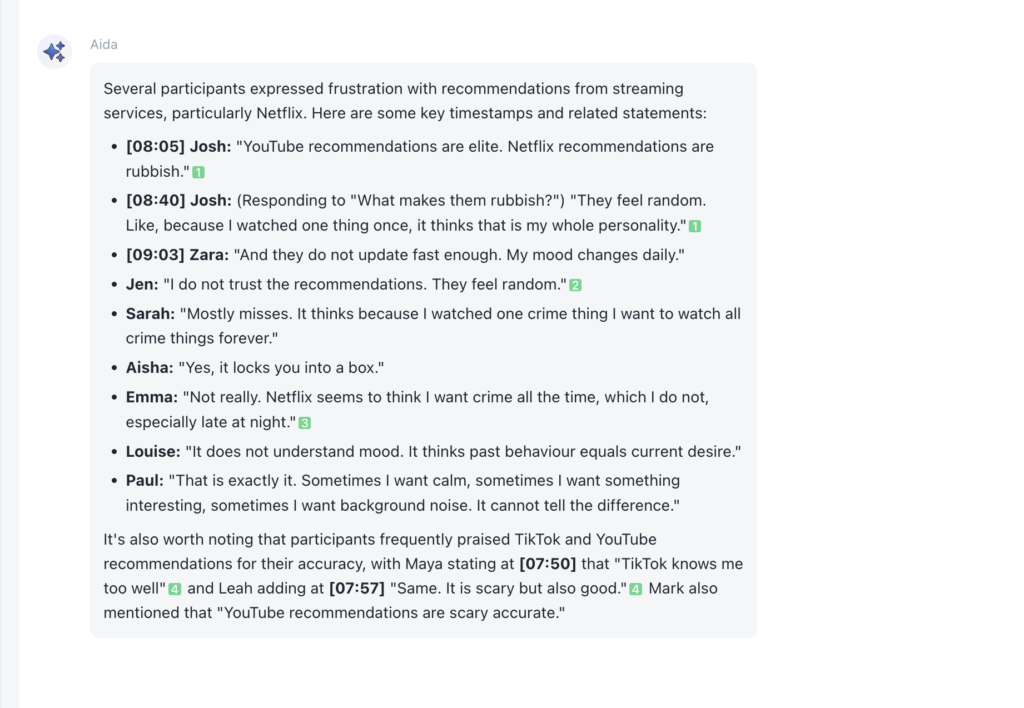
One of the most important parts of document review is being able to verify what the AI is saying.
In Beings, Aida’s outputs are linked back to the original source material, so you can see which part of the document, in which file, supports a point. That means you are not left with a summary that sounds convincing but cannot be checked.
You can move from the answer straight back to the underlying excerpt, read it in context and confirm that the interpretation matches the material provided.
5. Create a clear audit trail inside the project
Because outputs stay linked to source material, Beings helps create an audit trail as the review develops.
This is useful when you need to show how a conclusion was reached, what evidence supported it and where it came from. Rather than rebuilding that trail afterwards, the project keeps the connection between prompt, response and source visible as you work.
For teams handling regulated or sensitive work, this makes the process far easier to explain internally and externally.
6. Share findings securely with teams or stakeholders
Once the review is complete, project findings can be shared with colleagues or stakeholders in a more controlled way.
Because the analysis stays tied to the source material, other people reviewing the work can see not just the outcome but the evidence behind it. This helps reduce back and forth, improves confidence in the findings and makes reporting more straightforward.
It also means teams can collaborate on document-heavy work without stripping away context or relying on disconnected notes.
Use Beings AI for document reviews with confidence in security
Beings gives teams a way to review documents faster while still keeping analysis grounded in the original files and retaining the transparency and data governance needed for legal compliance.
You can upload multiple documents, search across them at once, use Aida to explore the material conversationally, confident that you can trace outputs to the exact source, all securely.
If your team needs AI support for document review, but cannot afford loose handling of data, missing context or hallucinations when it comes to auditing and data processing, Beings offers a more controlled way to work. Try Beings for free and see how it can support you in your document reviews today.